
Product Updates: February 2026
Feb 3, 2026
This month we're introducing two features designed to streamline your client workflows: Invoicing and Service Agreements.
To learn more about each feature, see below.
Invoicing
What's new
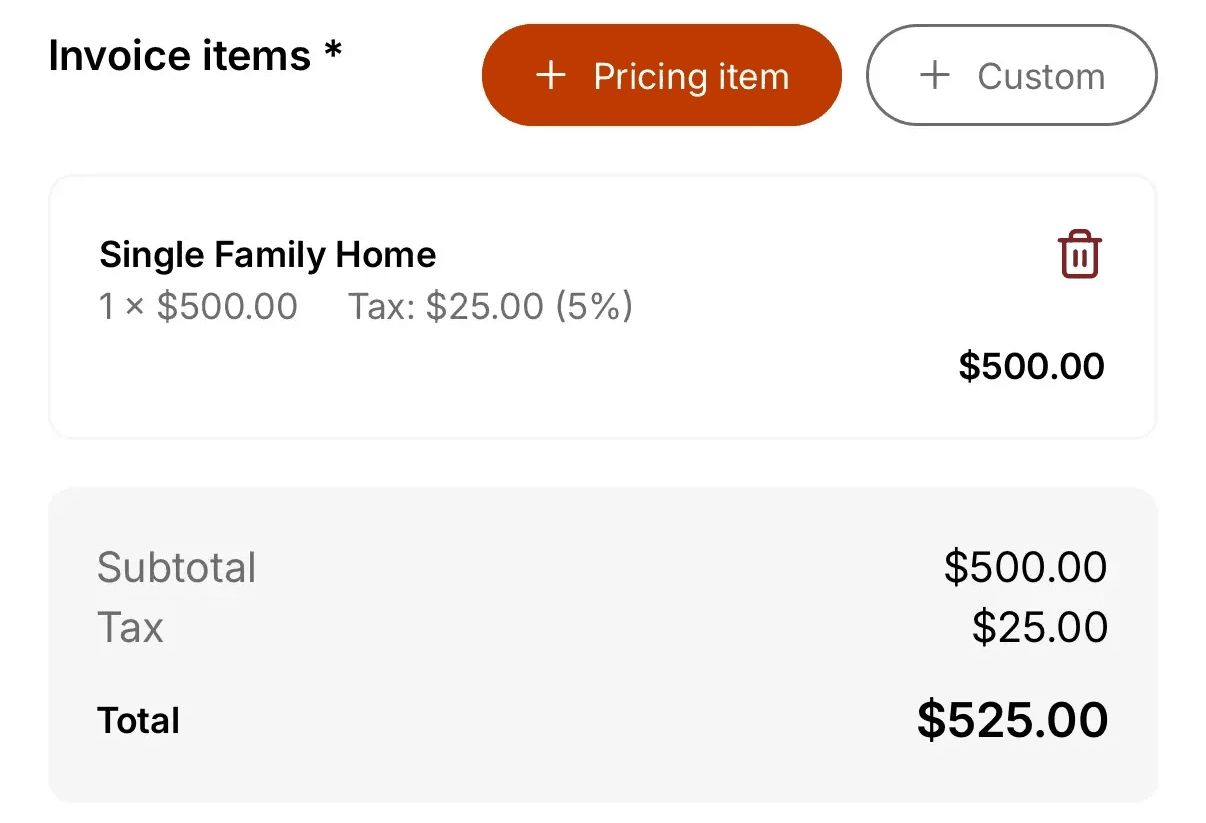
Create professional invoices directly from your inspections. The Invoicing feature includes a Pricing Items library for reusable services, auto-calculated totals with tax support, sequential invoice numbering, and the ability to track payment status, download PDFs, and share invoices via email.
Why it matters
Professional billing — Present polished invoices without external accounting tools
Consistent pricing — Reuse pricing items to maintain consistent rates across all inspections
Easy tracking — Monitor which invoices have been paid at a glance
Streamlined communication — Share invoices with clients in just a few taps
Key capabilities
Pricing Items Library — Store commonly used services with preset prices for quick invoice creation
Auto-calculations — Totals, taxes, and invoice numbers are handled automatically
Payment tracking — Mark invoices as Paid or Unpaid to monitor outstanding balances
PDF generation — Download professional invoice PDFs for your records
Email sharing — Send invoices directly to clients from within Eneris
How it works
Navigate to
Invoicingfrom the hamburger menu to set up your Pricing ItemsCreate pricing items for your common services (e.g., "Standard Home Inspection", "Radon Testing")
Open an inspection and navigate to the
InvoicesectionAdd line items from your Pricing Items library or enter custom items
Select
Create Invoiceto generate the invoice with auto-calculated totalsShare the invoice via email or download the PDF
When payment is received, update the invoice status to
Paid
To learn more about Invoicing, see the Invoicing documentation.
Service Agreements
What's new
Create and manage multi-party service agreements that clients can sign electronically before or during inspections. Service Agreements include built-in templates from industry associations, support for dynamic tags that auto-populate client and inspection details, and multi-signature capabilities.
Eneris includes several built-in Service Agreement Templates:
Eneris Service Agreement
InterNACHI Service Agreement
CAHPI Service Agreement
HIABC Service Agreement
You can also create custom templates with dynamic tags such as:
Client name and address
Inspection address and date
Inspector name and company
Invoice subtotal
Why it matters
Liability protection — Ensure agreements are signed before starting inspections
No external tools — Handle electronic signatures without third-party e-signature services
Multi-party support — Accommodate complex situations with multiple buyers, agents, or stakeholders
Professional documentation — Signed agreements automatically appear in your final PDF reports
How it works
Navigate to
Service Agreement Templatesfrom the hamburger menuSelect an existing template or create a new one with your terms and dynamic tags
Navigate to
Form Templatesand link your Service Agreement Template to the desired formDuring an inspection, navigate to the
Service AgreementsectionSelect
Publishto generate the agreement with auto-populated detailsCollect signatures — signers can sign in-person on your device or remotely via email link
Once all parties have signed, the completed agreement appears in your published PDF report
To learn more about Service Agreements, see the Service Agreements documentation.
Miscellaneous Updates
Here are some improvements made that are also worth noting:
Photo rotation — Photo markup tools now support rotation of photos to ensure annotations appear in the correct orientation.
Built-in SOP templates — Added built-in Standards of Practice templates: Eneris, InterNACHI, ASHI, CAHPI, HIABC, and ASTTBC. See SOP Templates for details.
Share Your Feedback
In addition to new features, we are also continually working on improving the overall experience and performance of Eneris.
If you have any feedback or feature requests, please reach out to us at support@eneris.ca.