
Product Updates: April 2026
Apr 2, 2026
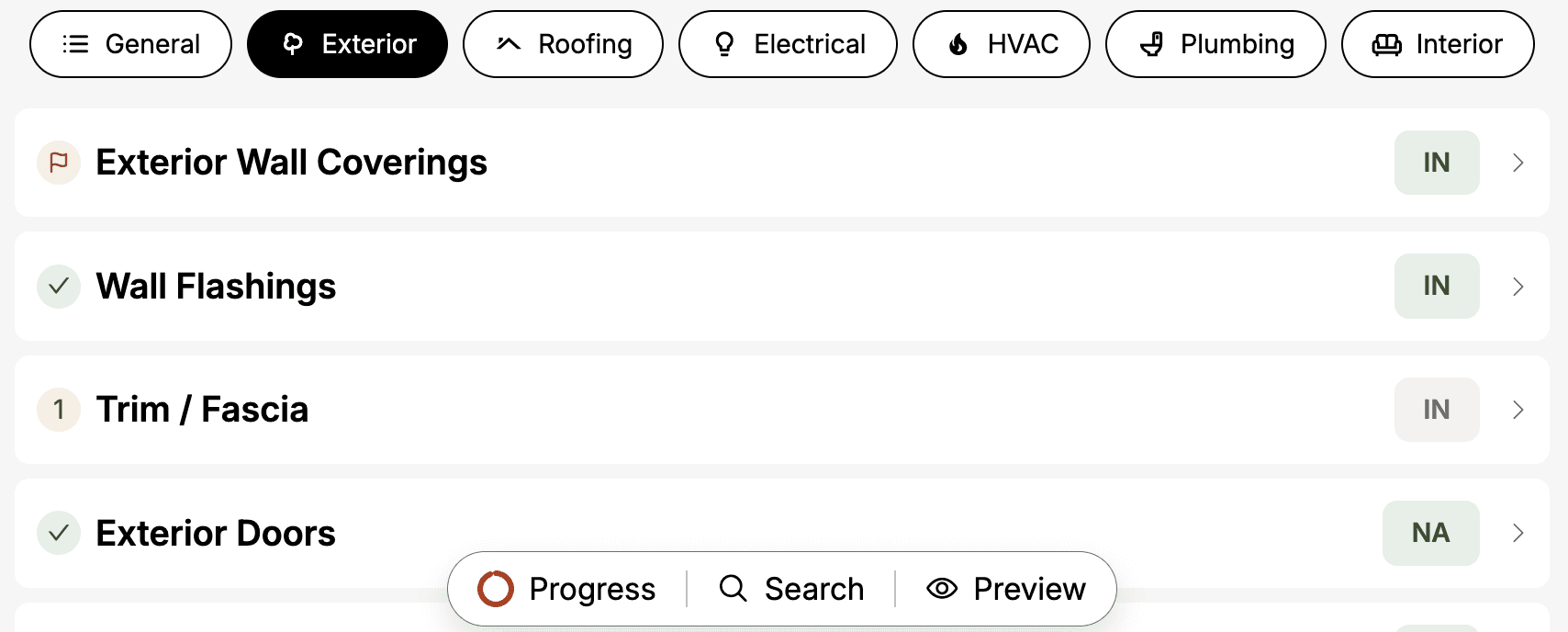
This month we shipped several updates to help you move through inspections faster and with less friction: a Redesigned Interface, a Progress Checklist, and Component Search.
To learn more about each feature, see below.
"The new look and function of Eneris is a welcoming change! The search function is a game changer."
- Hoang V., Home Inspector
Redesigned Interface
What's new
The entire Eneris interface has been refreshed with a cleaner layout, updated icons, and a new bottom tab bar inside inspection forms that gives you one-tap access to your most-used tools. Everything you need is fewer taps away.
Why it matters
Fewer taps to get anywhere — See all your inspection findings in a single page
Cleaner experience — A modern, uncluttered layout that is easier on the eyes during long inspection days
Ease of use — Smooth and optimized navigation to quickly get to where you need
How it works
Open the Eneris app and the updated design loads automatically
Use the pills at the top to navigate between sections with a single tap
Inside inspection forms, use the bottom
Tab Barto accessProgress checklist,Component search, andPreview report
To learn more, see the Inspection Forms documentation.
Progress Checklist
What's new
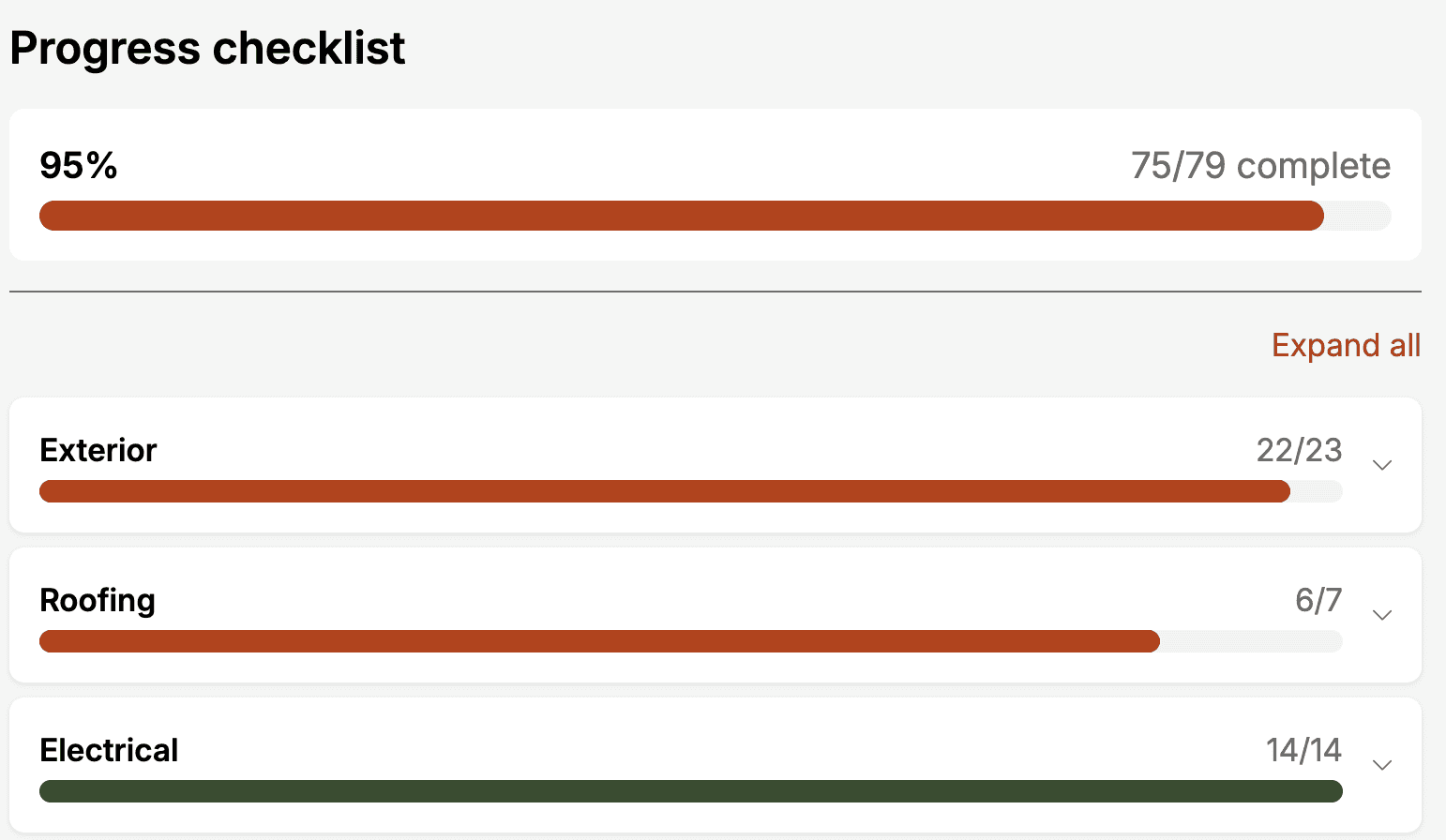
See exactly where you stand before leaving the property. The Progress Checklist shows your overall completion percentage, flags which components are missing required fields, and lets you jump to any section with a single tap.
Why it matters
Liability protection — Never miss a required field and see exactly what is incomplete before you publish
Save time on-site — Identify what is left at a glance instead of scrolling through every section
Stay organized — A radial progress indicator is always visible in the tab bar so you know where you stand
How it works
Inside an inspection form, tap
Progressin the bottom tab barReview your overall completion and expand any section to see component status
Tap any component to jump directly to it in the form
Component Search
What's new
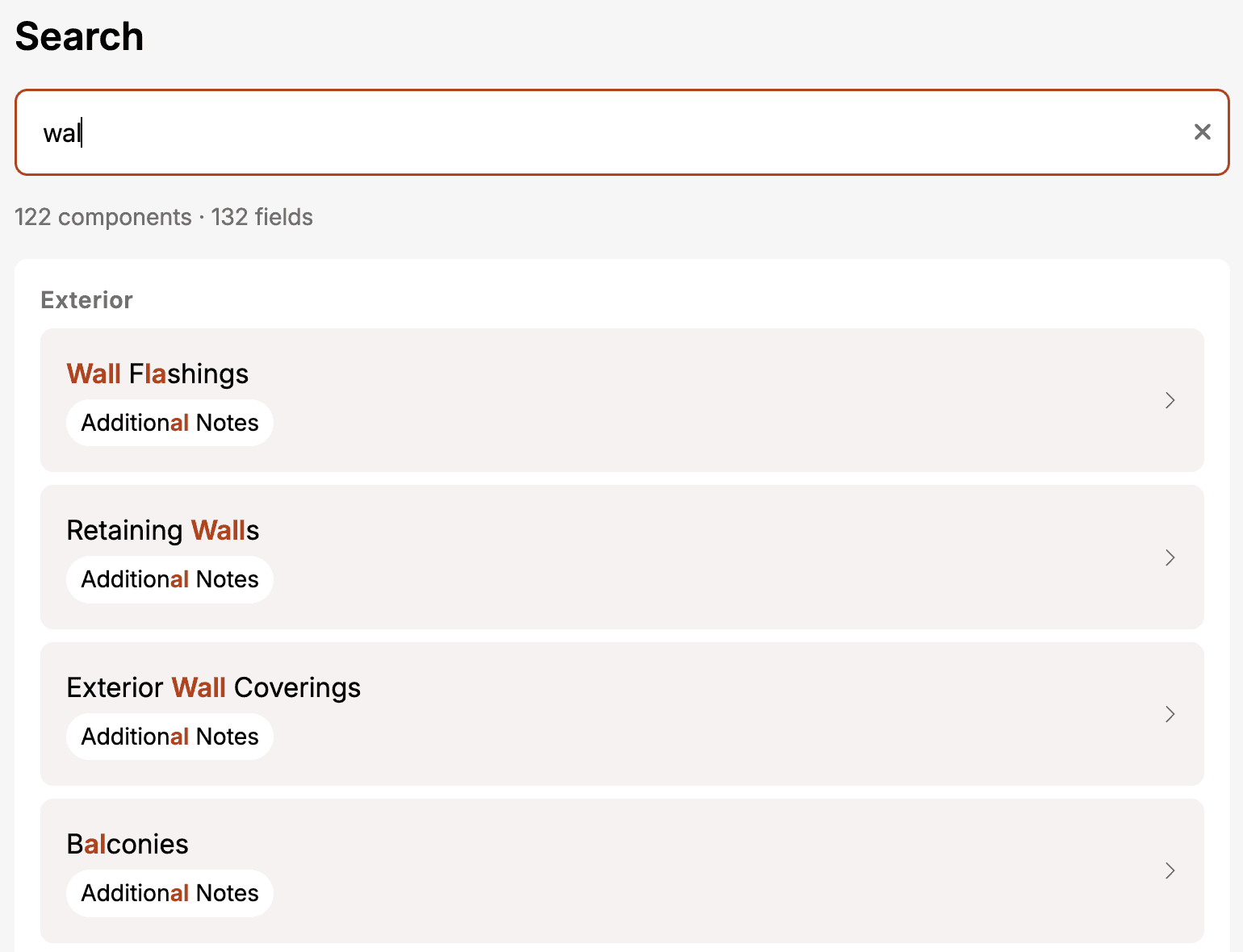
Find any component or field across your entire inspection form in seconds. Even partial words and minor typos can return the right results. Tap any result to jump straight to it.
Why it matters
Find anything instantly — No more scrolling through sections to locate a specific component or field
Handles typos — You do not need to remember exact names
Results grouped by categories — See exactly where each match lives in your form
How it works
Inside an inspection form, tap
Searchin the bottom tab barType at least 2 characters and results appear instantly, grouped by categories
Tap any result to jump directly to that component
Try it in your next inspection and tell us what you think.